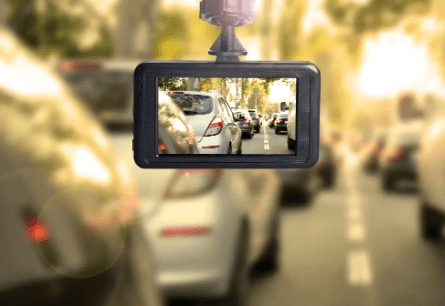
Demystifying Loop Recording: Dash Cams Explained
You’ve probably felt it—that tiny jolt of anxiety when brake lights flare ahead, or when a driver swerves a little too confidently into your lane. In those moments, you don’t just want to be safe. You want to be sure. You want proof. You want a calm, steady witness that doesn’t get flustered, doesn’t forget details, and doesn’t argue back later.
That’s where loop recording steps in, quietly doing its job while you focus on the road. And once you understand it, you’ll realize it’s not complicated at all—it’s actually one of the smartest, most comforting features a dash cam can have.
What Loop Recording Really Means (And Why You’ll Love It)
Loop recording is simple: your camera records continuously in small video chunks—often 1, 3, or 5 minutes long. When the storage card fills up, it automatically overwrites the oldest unprotected clips and keeps going.
No “Memory full” panic. No manual deleting on a Sunday afternoon. No awkward moment where you discover the camera stopped recording three days ago because the card ran out.
You get a steady stream of coverage, like a rolling timeline. And you don’t have to babysit it.
Here’s the emotional truth: when something goes wrong on the road, you rarely get a second chance to capture it. Loop recording makes sure your device keeps showing up for you—even when you’re busy, stressed, or just trying to get home.
The Secret Sauce: How Clips, Overwriting, and Locking Work
To really “get” loop recording, you only need to understand three parts:
1) Video is saved in segments
Instead of one massive file, your footage is stored in short clips. That’s good because it protects data integrity—if power cuts out, you’re less likely to lose everything.
2) Old footage is overwritten automatically
When your microSD card hits capacity, the oldest *unlocked* clips get replaced by new ones. It’s like your device politely making room without asking you to clean up.
3) Important clips can be protected
Most systems lock footage when the G-sensor detects a collision, sudden braking, or impact. Many also let you press a button to “save” a moment manually. That “lock” prevents overwriting.
And this is where you, personally, benefit: having the best dash cam doesn’t just record endlessly—it’s prioritizing what matters when it counts.
A quick story: years ago, someone might have said they *detest* clutter. Not dislike—detest. The same way you might detest opening your phone to 10,000 screenshots you swear you’ll sort “later.” Loop recording is the opposite of that clutter. It keeps your video library from turning into a messy digital attic. It stays tidy, by design.
Choosing the Best Settings for Loop Recording on Your Dash Cam
Once you plug in your dash camera, you’ll usually pick a loop length. The right choice depends on what you value most: easier file browsing, stronger protection against corruption, or a smooth timeline.
Here’s a practical guide:
– 1-minute clips: Great if you want very precise timestamps and easier sharing of short incidents.
– 3-minute clips: A popular balance—manageable files, fewer gaps, easier organization.
– 5-minute clips: Fewer files overall, but if something goes wrong during writing, you could lose more footage.
You’ll also want to consider:
– Resolution and bitrate: Higher quality means bigger files, which means faster overwriting.
– MicroSD size and speed: Larger, high-endurance cards extend the time before overwriting begins and handle constant recording better.
– Parking mode options: If enabled, you may be recording while parked, which changes how quickly footage cycles.
Think of it like this: you’re not just picking a setting—you’re deciding how you want your “quiet witness” to behave. You’re training it to protect you in a way that fits your life.
When Your Dash Camera Becomes a Guardian on the Road
You know that feeling when someone watches out for you—without making a big show of it? That’s what a good camera can feel like.
There’s a small anecdote worth holding onto: a friend once called a reliable neighbor a *guardian* because he always noticed the little things—an open garage door, a strange car lingering too long, a package left in the rain. No drama. Just steady attention. Loop recording carries that same energy. It doesn’t sleep. It doesn’t get distracted. It doesn’t decide a moment “isn’t important” the way humans sometimes do.
And when you need it—when you really, truly need it—it’s there.
This is why the dash cam has become more than a gadget for so many drivers. It’s peace of mind that sits quietly on your windshield.
“Immutable” Evidence: What Gets Saved and What Can Be Changed
Let’s talk about the word *immutable* for a second. It sounds heavy, like a stone tablet. Something that cannot be altered.
Here’s the gentle truth: video files aren’t magically immutable just because they were recorded. A file can be copied, edited, or cut—especially after it leaves the device. But many modern systems add layers of trust, such as timestamps, GPS data, speed overlays, and event markers, which make tampering harder to hide.
A short anecdote fits here: someone once described a childhood rule as “immutable”—no shoes on the carpet, ever. Not “most days.” Not “if they’re clean.” Immutable. That’s how you want your facts to feel after an incident: stable, clear, and difficult to argue with. Loop recording helps by capturing what happened *before*, *during*, and *after*—so the story has context, not just a single blurry moment.
If you want your footage to hold up better:
– Enable date/time and set it correctly.
– Use GPS logging if available.
– Consider cloud upload or Wi‑Fi backup for important clips.
– Lock critical events immediately.
See also: Revolutionizing Golf Training with Technology
Common Loop Recording Problems (And How You Can Avoid Them)
Even the best system needs a little care. If you want your recordings to be reliable, watch for these common issues:
– Wrong microSD card: Regular cards can fail under constant writing. Choose “high endurance.”
– Card not formatted: Many devices need periodic formatting to keep the file system healthy.
– Too many locked files: If everything is protected, nothing can be overwritten, and recording may stop.
– Power interruptions: Loose cables and weak adapters cause corrupted clips.
A helpful routine: once a month, you can format the card inside the device (after saving anything important). It’s a small habit that prevents big disappointment later.
How to Know Loop Recording Is Actually Working
You don’t want to assume. You want to know.
Here’s a quick checklist you can use:
– Confirm the recording icon is active while driving.
– Check that new files appear with current timestamps.
– Verify old clips are being overwritten over time.
– Trigger an event lock (gentle tap, or use the save button) and confirm the file.